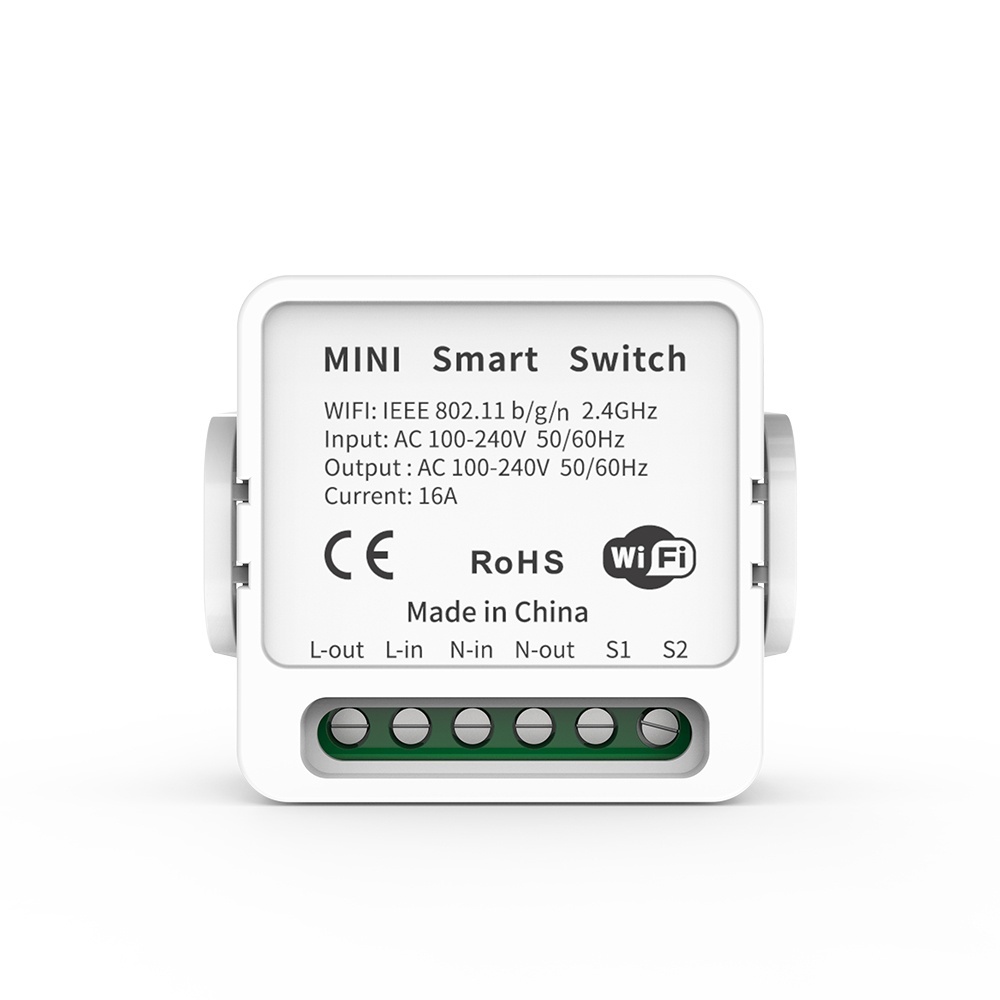
WiFi Smart Light Switch | Universal DIY Module | Alexa & Google Home Compatible | No Hub Required | Voice & App Remote Control with LAN & Timer Mode - 1CH–
650
EGP700
EGP7%-
smart home automation light switch wifi alexa google home assistant remote control timer schedule neutral wire required 1 gang 1 channel tuya smart life app
Watching this product Now 20 Client
Brief Description
Upgrade any standard light fixture into a fully automated smart device in minutes. This versatile WiFi Smart Switch is the ultimate DIY solution for modern homes. Whether you are using voice commands, the mobile app, or setting automated schedules, you stay in total control. With unique LAN Control and DIY Mode, your smart home stays functional even if the internet goes down, making it the most reliable choice for tech enthusiasts and homeowners alike.
Product Features
- Universal Compatibility: Works seamlessly with Amazon Alexa and Google Home for hands-free voice control.
- No Hub Required: Connects directly to your 2.4GHz WiFi router—no extra hardware or hidden costs.
- Advanced DIY Mode: Supports REST API integration, allowing advanced users to connect the switch to existing home automation systems.
- LAN Control: Command your devices over your local area network; your schedules and toggles work even if your external internet service is interrupted.
- Smart Schedules: Program your lights to turn on at sunset or create a "Vacation Mode" to simulate presence while you’re away.
- Compact Design: Small enough to fit behind most wall switches or inside ceiling rose covers.
Product Technical Specifications
Feature Specification Connectivity WiFi 2.4 GHz (802.11 b/g/n)
Voltage Input 100V - 240V AC (50/60Hz)
Max Current 10A
Max Power 2200W
Security WPA-PSK / WPA2-PSK
Casing Material Fire-retardant ABS V0
Dimensions88mm x 39mm x 24mm
Simple Installation Instructions
1.Power Down: Safety First. Turn off the main power at the circuit breaker. Do not attempt to install while the wires are live.
2.Wire Connections: Standard Wiring. Connect the Input side (Line and Neutral) from your power source and the Output side to your light fixture. Ensure all screws are tightened securely.
3.App Pairing: Smart Life / Tuya / eWeLink.Restore power. Hold the pairing button for 5 seconds until the LED flashes rapidly. Open your chosen app and select "Add Device."
4.Final Setup: Sync & Name. Once connected, name your switch (e.g., "Kitchen Light") and sync it with your Alexa or Google Home app for voice control.
Frequently Asked Questions
Q: Does it work with 5GHz WiFi?
A: No, like most smart home hardware, it requires a 2.4GHz connection. If you have a dual-band router, ensure the 2.4GHz band is active.
Q: Can I control this switch if I am away from home?
A: Absolutely. As long as the switch is connected to your home WiFi, you can control it from anywhere in the world via the app.
Q: What is DIY Mode?
A: DIY Mode is for advanced users who want to integrate the switch into local platforms like Home Assistant or open-source servers without going through the cloud.
Cheer to Buy
- Ready to transform your home? Experience the convenience of a truly smart living space. No more getting out of bed to check the lights—just say the word or tap your phone.
Join thousands of satisfied users and add the WiFi Smart Switch to your cart today!