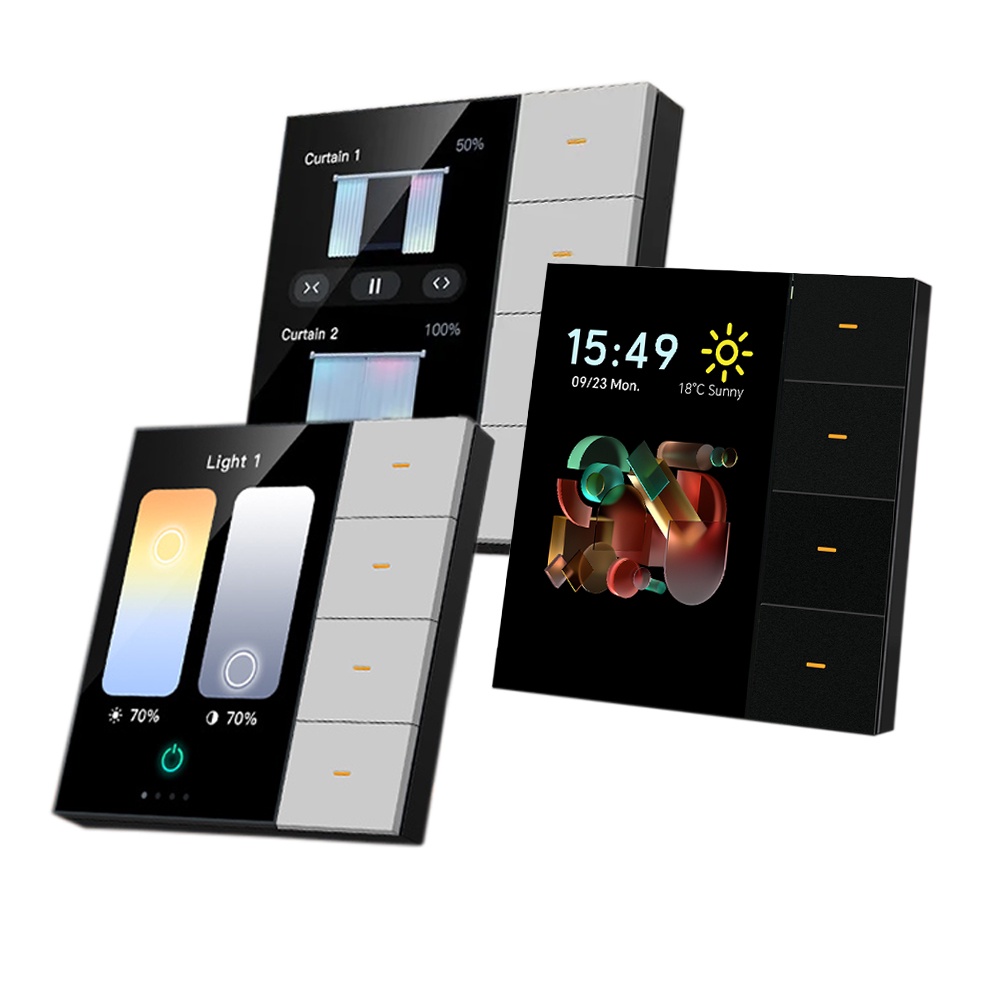
3.5" Smart Touch Screen Wall Switch Hub | 4-Gang Smart Control Panel | Built-in Radar Motion Sensor & Proximity Wakeup | Multi-Functional Smart Scene Controller | Works with Smart Life, Alexa & Google Home – Premium Black
6350
EGP6500
EGP2%-
smart touch screen switch 4 gang wall panel controller radar motion sensor proximity wakeup luxury light display
Watching this product Now 20 Client
Brief Description
Transform your home with the ultimate smart wall interface. This premium 3.5-inch Smart Touch Screen Switch replaces your traditional light switches with an interactive, high-definition control center. Featuring 4-gang physical/digital control capabilities and an integrated Radar Motion Sensor, the screen instantly wakes up as you approach and can trigger customized automation scenes based on room presence. Streamline your lighting, climate, and smart scenes from a single, stunning touch panel.
Product Features
- Vibrant 3.5" HD Touch Screen: An intuitive, full-color interface that allows you to easily swipe through lighting controls, smart scenes, and device statuses.
- Integrated Radar Sensor: Features advanced microwave radar detection for proximity wakeup (screen turns on as you approach) and presence automation (lights turn off when a room is empty).
- 4-Gang Versatile Control: Directly wire and control up to 4 separate lighting zones, or configure buttons to run complex multi-device smart scenes.
- Seamless App Integration: Fully compatible with the Smart Life and Tuya ecosystems, offering total control via your smartphone from anywhere.
- Voice Control & Automation: Pairs easily with Amazon Alexa and Google Assistant for hands-free convenience.
- Real-Time Status Feedback: The crisp LCD display provides live updates on room temperature, time, weather, and connected device statuses.
Product Technical Specifications
FeatureSpecificationDisplay Screen3.5-inch IPS HD Touch PanelConnectivityWiFi 2.4 GHz (802.11 b/g/n) + Bluetooth LEInput Voltage100V - 240V AC (50/60Hz)Number of Gangs4-Gang (Controls up to 4 lighting circuits)Max Load per Gang200W (LED/Resistive), 800W Total LoadSensor TypeBuilt-in Microwave Radar (Proximity & Presence)Wiring SystemNeutral Wire RequiredCasing MaterialFire-Retardant PC + Tempered Glass Panel
Simple Installation Instructions
1.Turn Off the Power:Safety Precaution.Shut off the main electrical supply at your circuit breaker box before removing your old switch. Use a voltage tester to ensure the wires are completely dead.
2.Connect the Wiring:Terminal Identification.Connect your incoming power lines to L (Live) and N (Neutral). Connect your individual light fixtures to the load terminals (L1, L2, L3, L4). Ensure all connections are secure.
3.Secure the Switch Base:Wall Mounting.Gently separate the touch screen panel from the power base module. Screw the base module into your standard wall junction box, then carefully click the screen faceplate back into position.
4.Power On and Sync:Network Pairing.Turn the main power breaker back on. The screen will boot up automatically. Open the Smart Life or Tuya app on your phone, tap "Add Device," and follow the on-screen prompts on the wall panel to connect to your 2.4GHz WiFi network.
Frequently Asked Questions
Q: Does this screen switch require a neutral wire?
A: Yes, a neutral wire is absolutely mandatory to provide continuous power to the 3.5" HD display and radar components.
Q: Can the radar sensor turn the display off automatically at night?
A: Yes. Through the settings on the screen or via the app, you can customize the proximity wakeup schedule, adjust sensor sensitivity, or dim the screen entirely during sleeping hours.
Q: Can I control other smart devices in my house that are not wired to this switch?
A: Absolutely. While it physically controls 4 wired light circuits, the touch screen interface acts as a scene controller. You can program it to trigger other wireless Tuya/Smart Life devices (like smart curtains, plugs, or air conditioners) over WiFi.